
Command Center
See operations
as they happen.
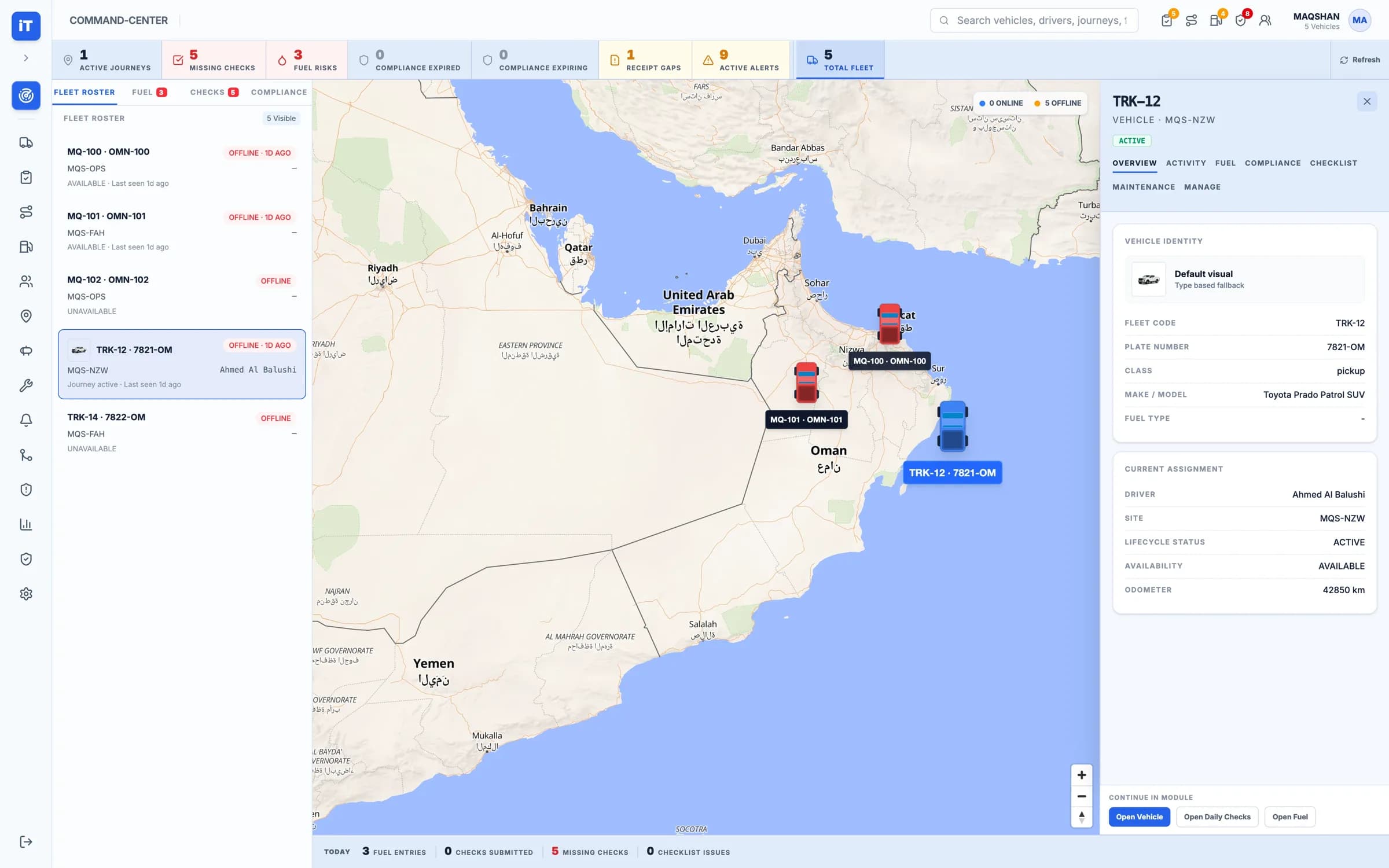
The fleet, the active journeys and the open exceptions on one screen — with the full record of any one of them a click away.
Live Operations
Watch, open, act, look back
Four synchronized views into the live fleet picture.
The whole operation on one screen.
The fleet roster, the vehicles on the map and the day's counters sit together, so nothing needs a second system.
- Fleet roster with availability and last seen
- Vehicles positioned on the map
- Active journeys, missing checks and alerts counted
View. The whole operation on one screen.
How it is used
Manage by exception, not by searching
The outliers lead
Missing checks, fuel risks and open alerts are counted at the top of the screen, not buried.
Detail without detours
The inspector opens beside the list you were working, so context is never lost.
Scoped to your operation
People see the sites and vehicles they are responsible for.
- One operational viewVehicles, journeys, alerts, sites, tanks
- Exceptions counted firstMissing checks, fuel risks, open alerts
- Inspector beside the listFull detail without losing your place
- History retainedActivity available after the fact
See it working
The operation, live
The command centre, the journey it is following, and the driver at the other end of it.
Command Center
Live operational context across fleet activity.
- Fleet roster, map and vehicle inspector in one view
- Active journeys, missing checks and alerts in scope
Live iTrack workspace, captured from the product.
Command Center. Live operational context across fleet activity.