
Maintenance
Keep every vehicle
ready for the next job.
A failed check becomes a work order with an owner, a status and a record — so the same fault is not diagnosed twice and downtime is visible while it is happening.
How work gets done
From defect to back in service
Five stages, one vehicle history.
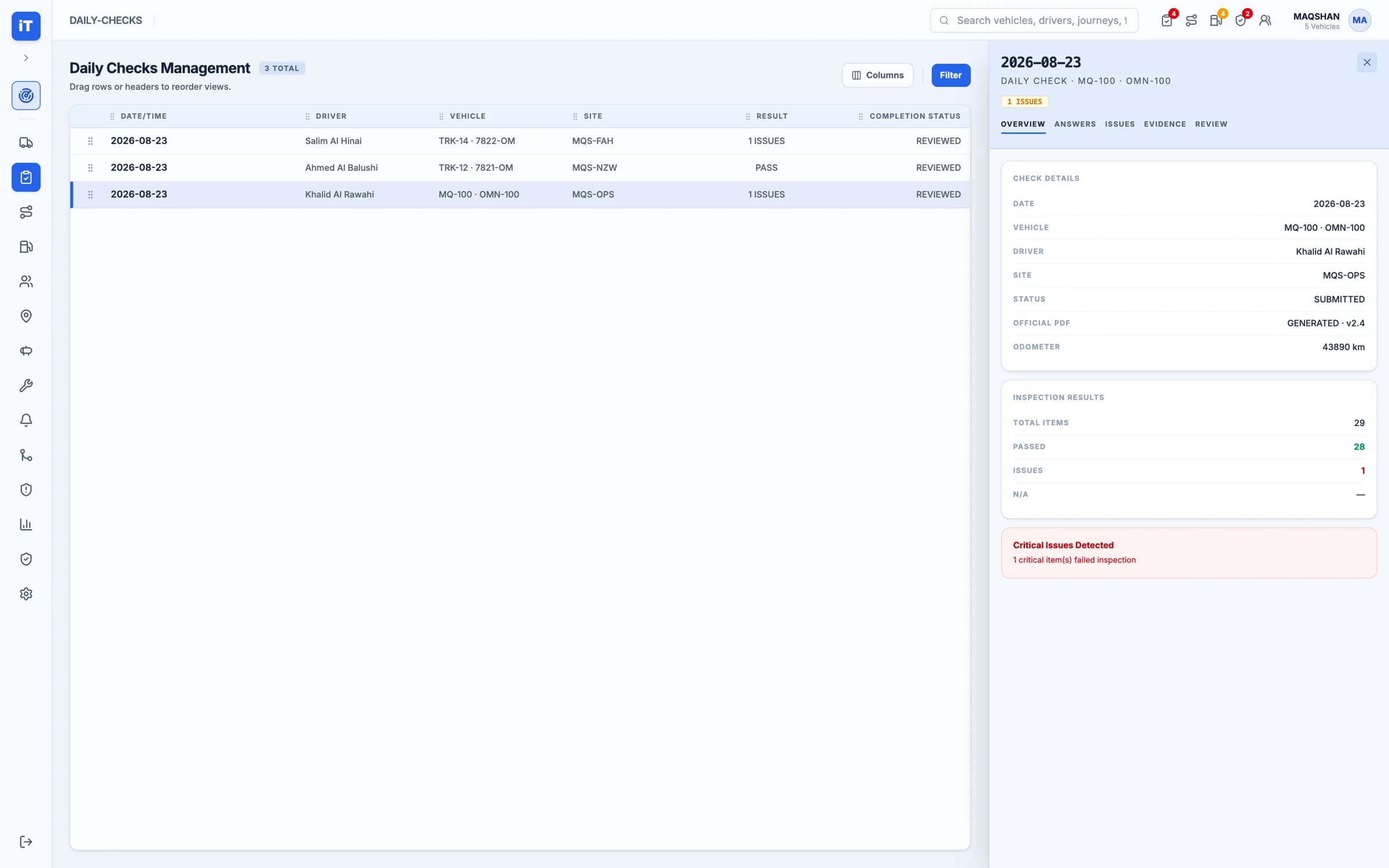
01 · Inspect
It starts at the daily check.
The submitted check is held with every item and the evidence attached to the ones that failed.
- Every inspection item recorded
- Evidence attached to failed items
- The check kept against the vehicle
Inspect. It starts at the daily check.
Why it works
The check and the workshop share one record
No re-reporting
A defect found at the daily check is already a work order — nobody has to phone it in.
Downtime is visible
The clock runs on the record, so a vehicle out of service is not a surprise at month end.
History follows the asset
What was found and what was done stay with the vehicle, not in someone's memory.
- Defects raised from checksThe moment a check fails
- Work orders with ownersStatus, priority, due date, downtime
- History per assetParts, costs and events retained
- Readiness is knowableDispatch sees what can work today
See it working
Maintenance, end to end
Where a defect is found, where the work is managed, and where the history is read.
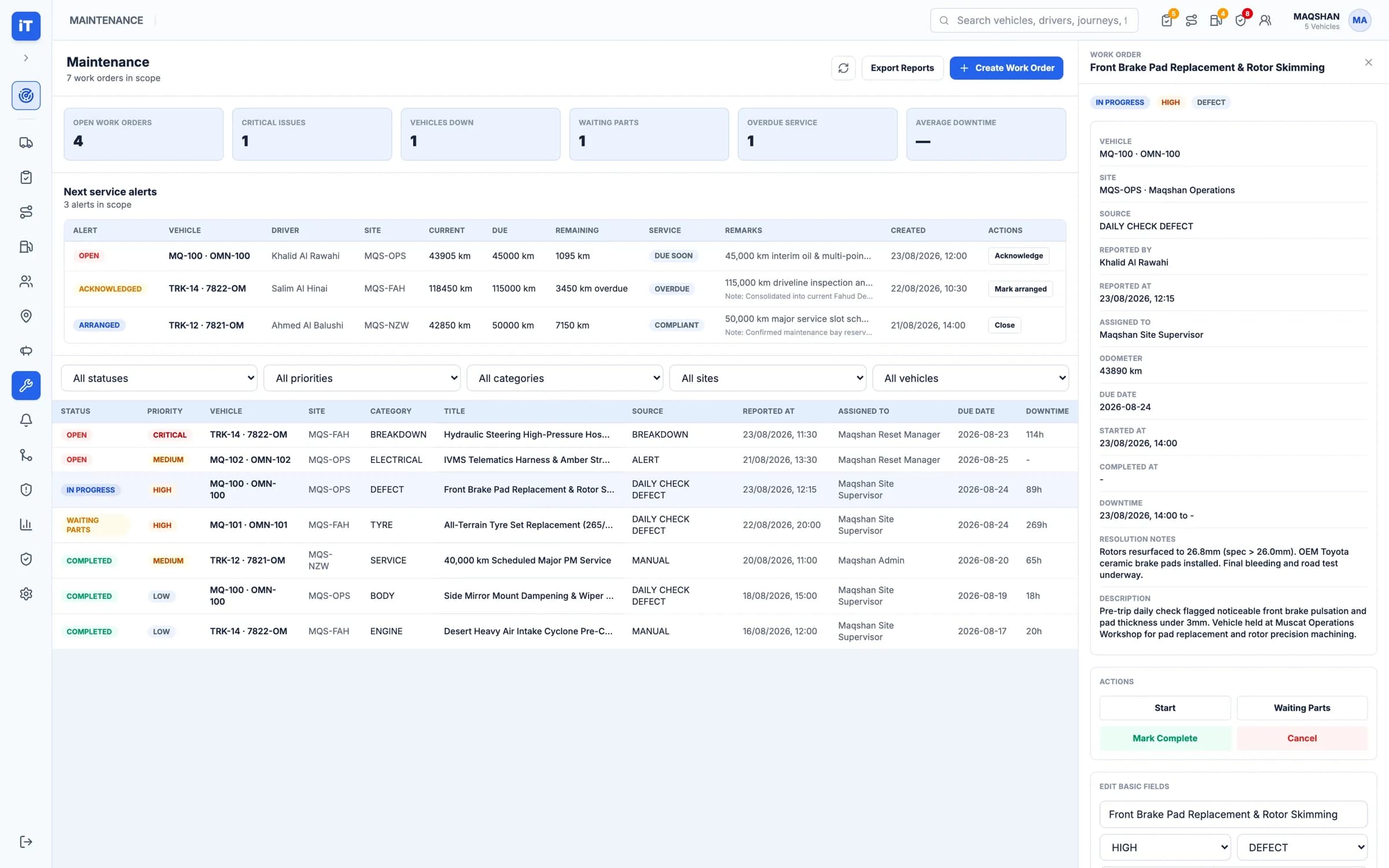
Maintenance
Turn defects into work and preserve vehicle history.
- Work orders by status, priority, category and site
- Resolution notes and downtime kept on the record
Live iTrack workspace, captured from the product.
Maintenance. Turn defects into work and preserve vehicle history.