
Fuel Control
Every litre accounted for.
From pump to ledger.
Every refill is captured at the vehicle with receipt photos and verified by drivers. Anomalies are flagged for review before they become monthly losses.
How fuel is controlled
From the pump to the report
Five stages, from the physical pump to executive intelligence.
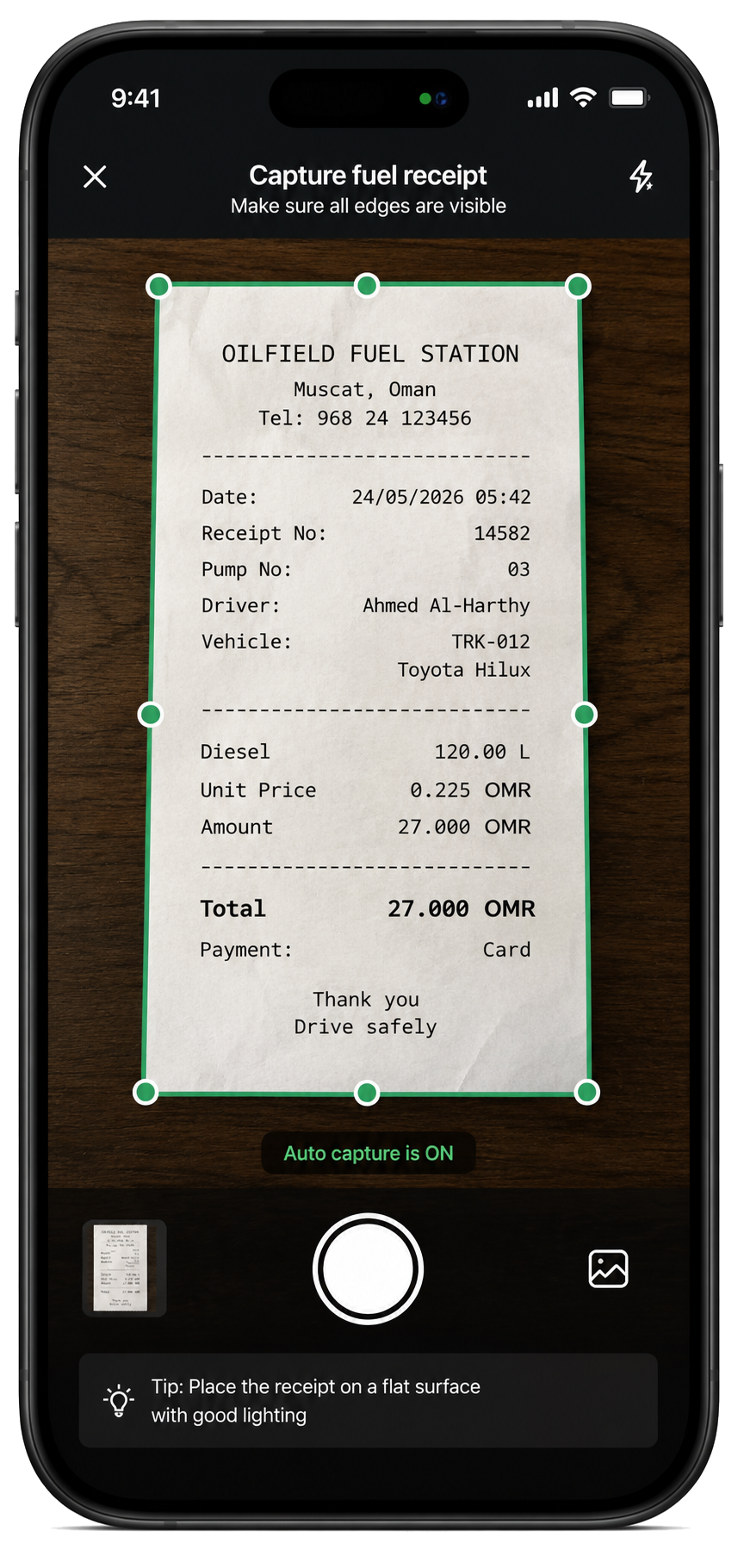
01 · Capture
Capture it where it happens.
Photograph the fuel receipt while the refill is happening.
- Refill photo captured at the pump
- Litres, total amount and fuel type recorded
- Tied directly to the vehicle in the field
Capture. Capture it where it happens.
What changes
Fuel stops being a monthly surprise
Captured at the pump
The record is made where the work happens, not re-keyed from a pile of receipts.
Evidence sits with the entry
The receipt is part of the record, so a query can be answered without a hunt.
Exceptions come to you
Entries outside the pattern are raised rather than waiting to be noticed.
- Every refill capturedWith photo, odometer, time and place
- Receipts verifiedEvidence held against the entry
- Unusual activity flaggedRaised for review, not buried in a list
- Exportable recordThe full dataset, filtered as you need it
See it working
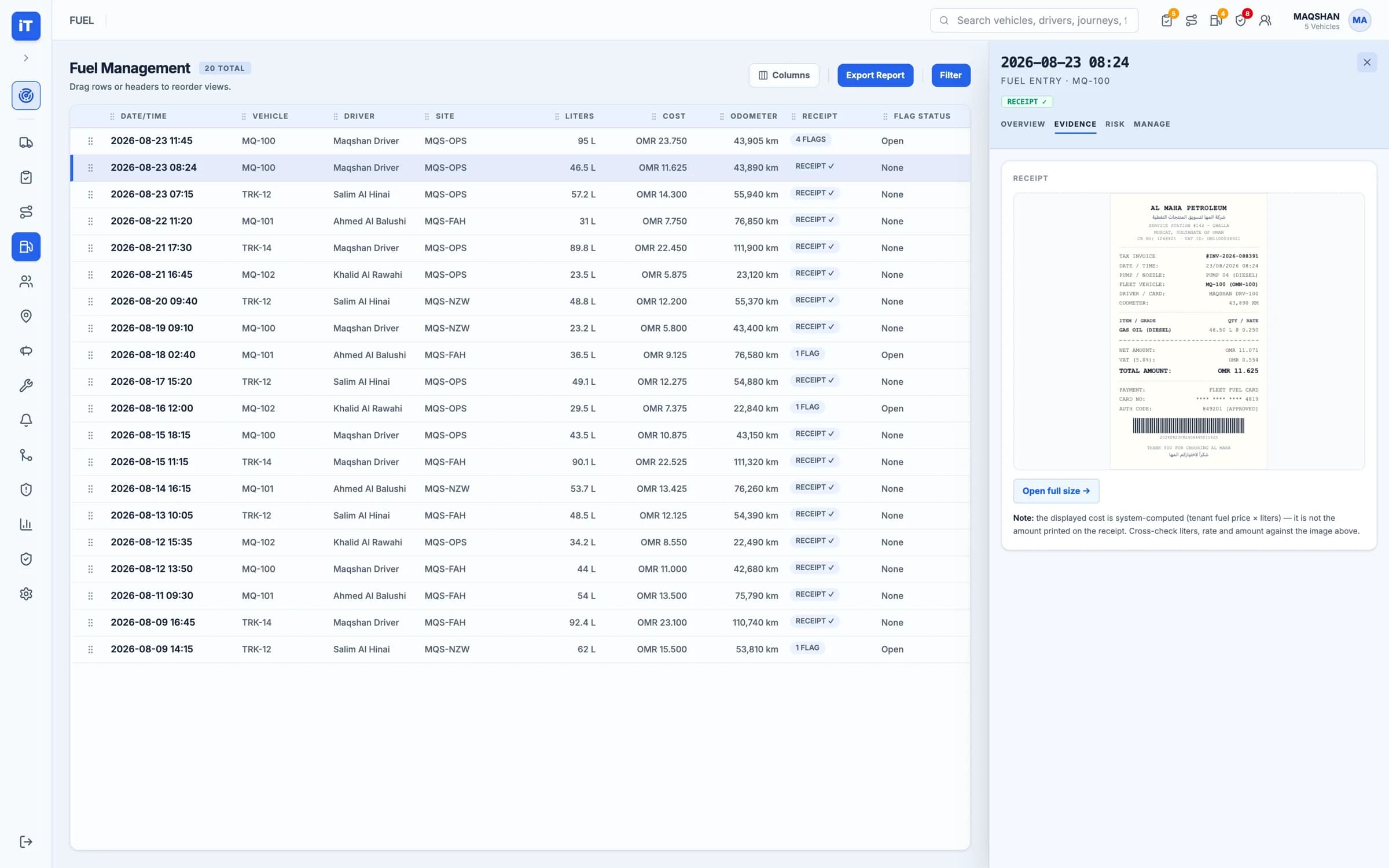
Fuel, from field to finance
Where a fuel record starts, where it is reviewed, and where it is reported.
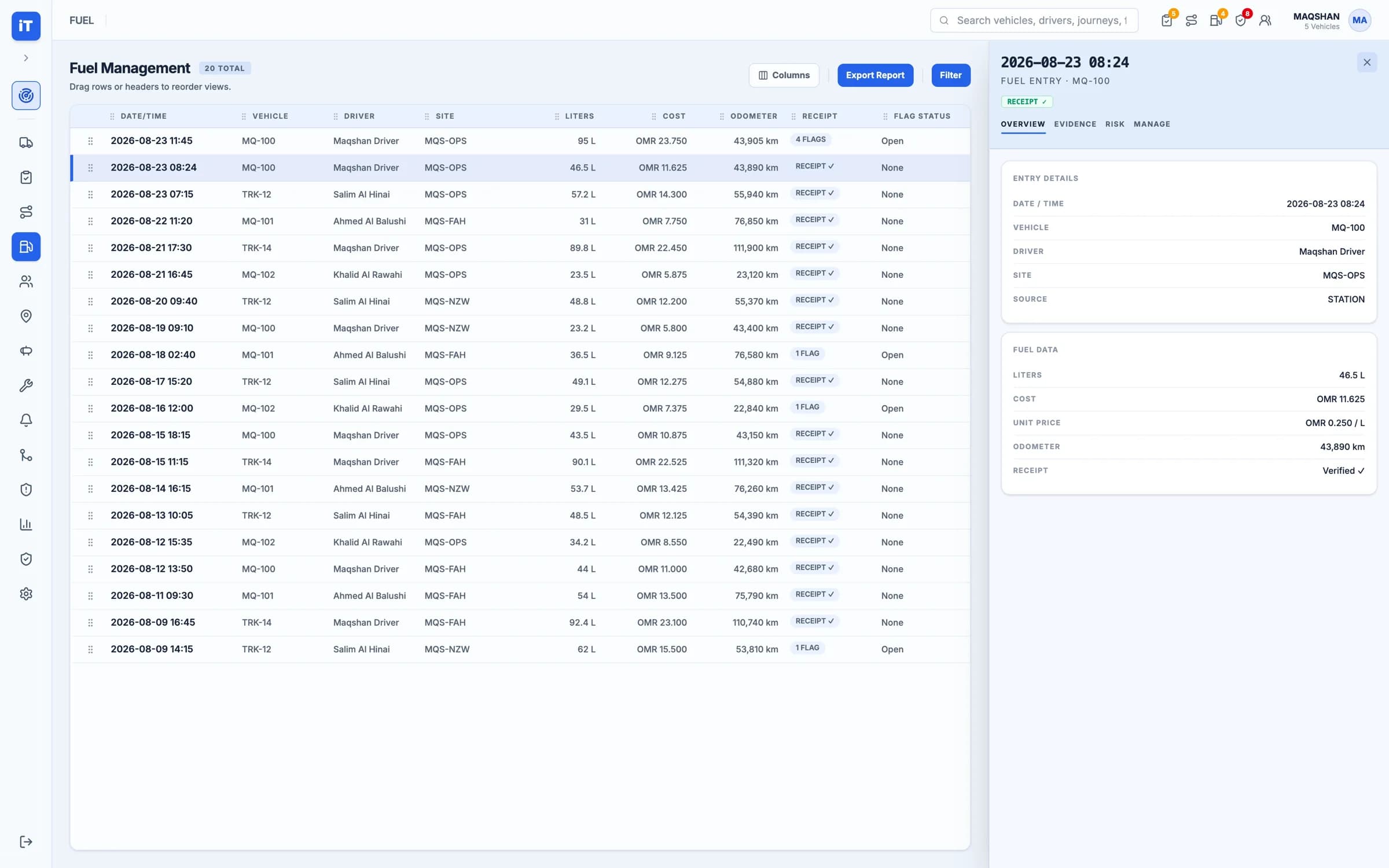
Fuel
Capture fuel activity and review exceptions.
- Litres, cost, odometer and receipt on every entry
- Flagged entries separated from clean ones
Live iTrack workspace, captured from the product.
Fuel. Capture fuel activity and review exceptions.