
Operational Reports
Operational reporting
built on verified field data.
Fuel consumption trends, driver activity summaries and exception rankings — exportable for operations review, financial reconciliation and HSE audits.
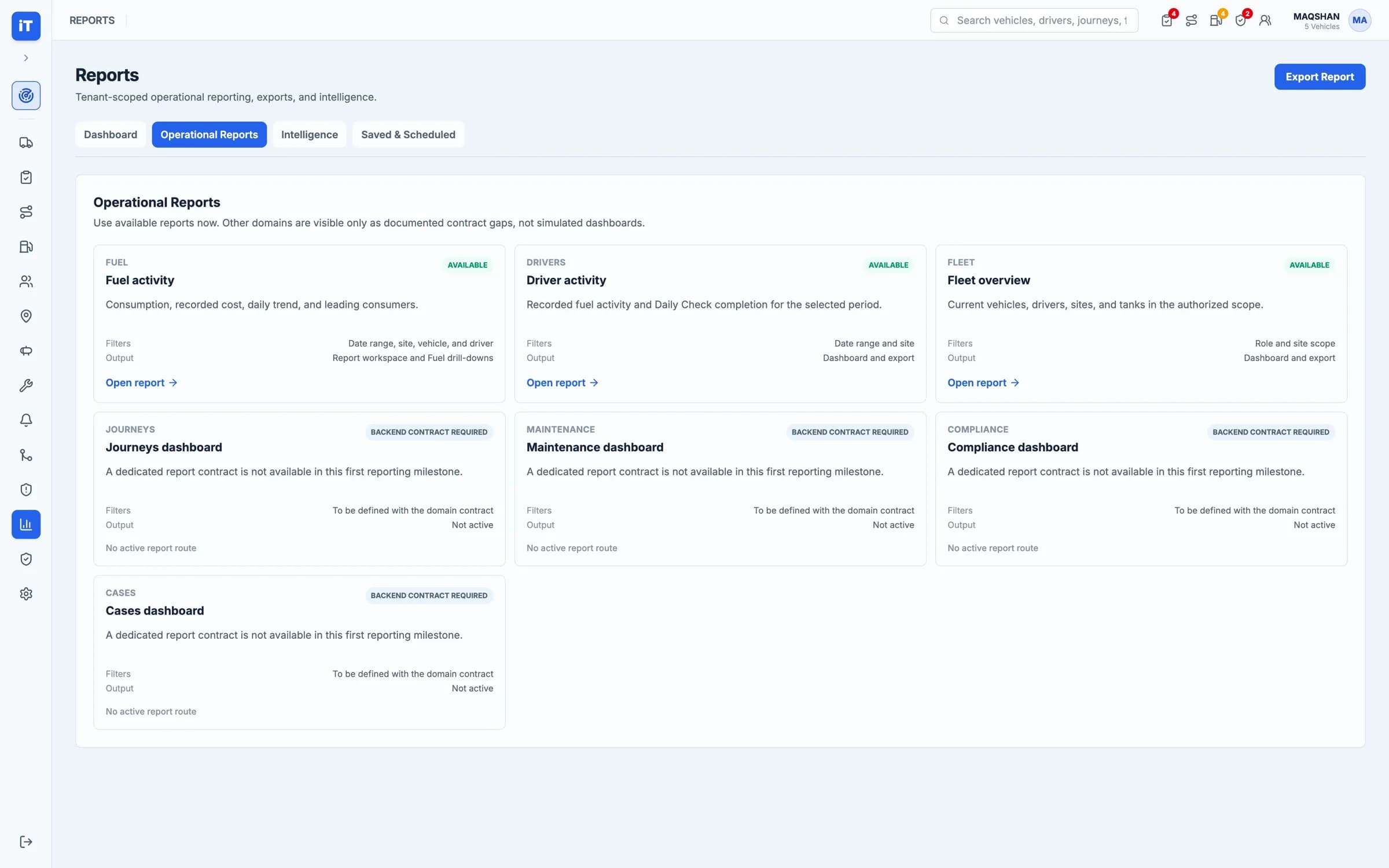
Reading the operation
Overview, exceptions, activity, export
Four ways to read the same records. Pick any of them.
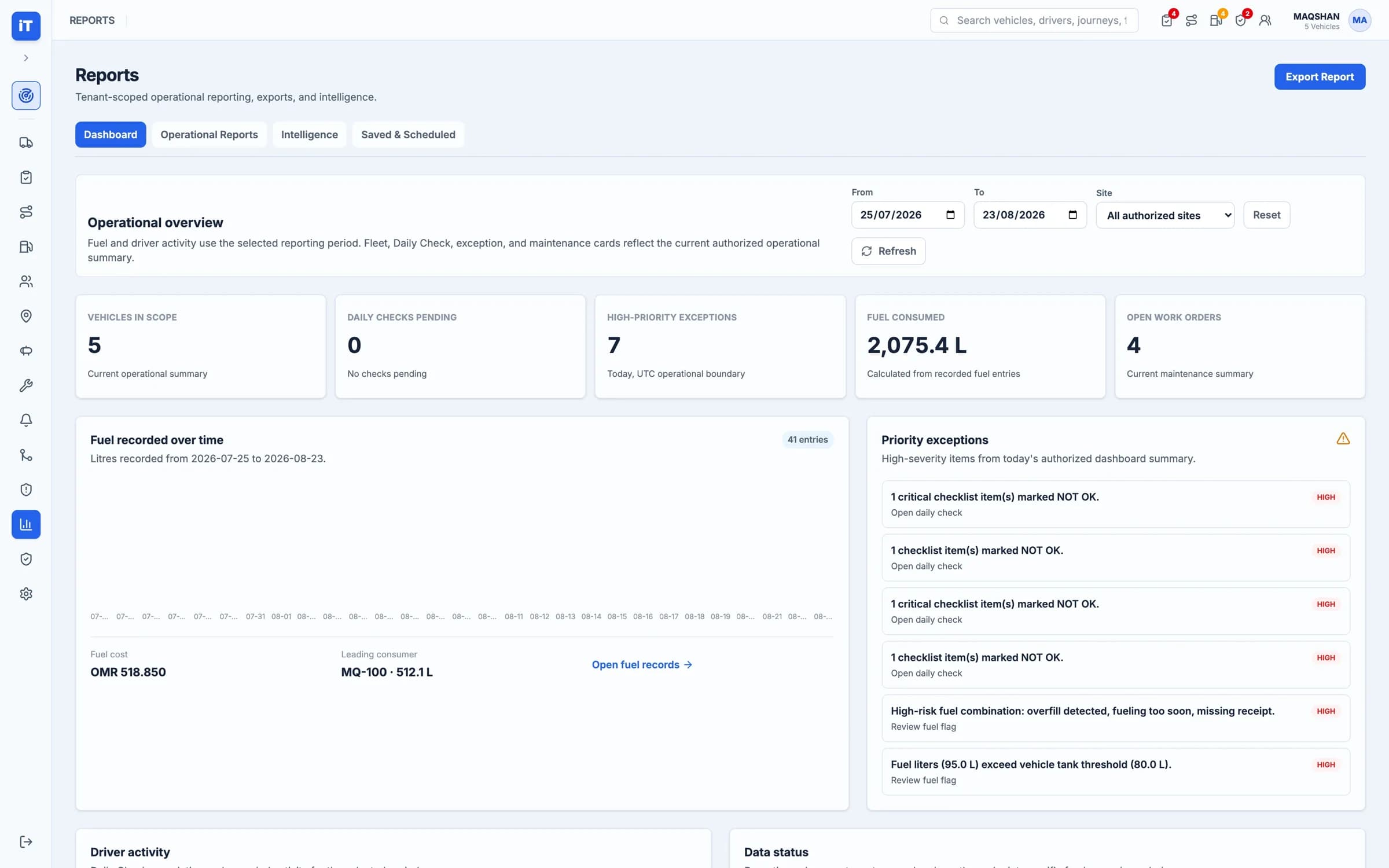
The period, in one view.
Fuel and driver activity use the reporting period you choose; fleet, check and maintenance cards reflect the current operational summary.
- Date range and site selection
- Headline cards across the operation
- Fuel recorded over the period
Overview. The period, in one view.
What makes it trustworthy
Reporting on records, not on estimates
Captured at source
Every figure traces back to a record someone created while doing the work.
Scoped to authority
People report on the sites and vehicles they are authorised to see.
Exportable, not screenshotted
The underlying rows leave the system, so finance can work with them.
- Captured at sourceReporting reflects the work as done
- Sliced how you askBy site, vehicle, driver or period
- Exceptions rankedHigh-severity items pulled to the front
- Exports that travelCSV and XLSX, filtered
See it working
From record to report
Where the numbers come from, and where they are read.
Reports & Compliance
Bring operational records together for review and evidence.
- Operational overview across a chosen reporting period
- Priority exceptions ranked by severity
Live iTrack workspace, captured from the product.
Reports & Compliance. Bring operational records together for review and evidence.